IPTV Smarters Pro App Review: Best Free IPTV Player in 2026?
IPTV Smarters Pro is a free third-party player app, not a streaming subscription. Think of it the way you'd think of VLC: it plays video, but you bring your own content. In this case, you bring your own IPTV subscription playlist, either as an M3U URL or via Xtream Codes credentials, and Smarters Pro gives you a polished interface for browsing live channels, a VOD library, and an EPG. The app costs nothing to download. What you pay for is the IPTV subscription you load into it, and that comes from whichever provider you choose separately.
This distinction matters because a lot of people land on Smarters Pro searches expecting to buy a channel package directly. You can't. The app has no built-in channels. Its job is to be the frame around whatever playlist you supply, and it does that job quite well compared to most alternatives. Whether it's the right player for you depends on what you want from the interface, which devices you're using, and how much you care about EPG coverage and multiple profile support.
What Is IPTV Smarters Pro?
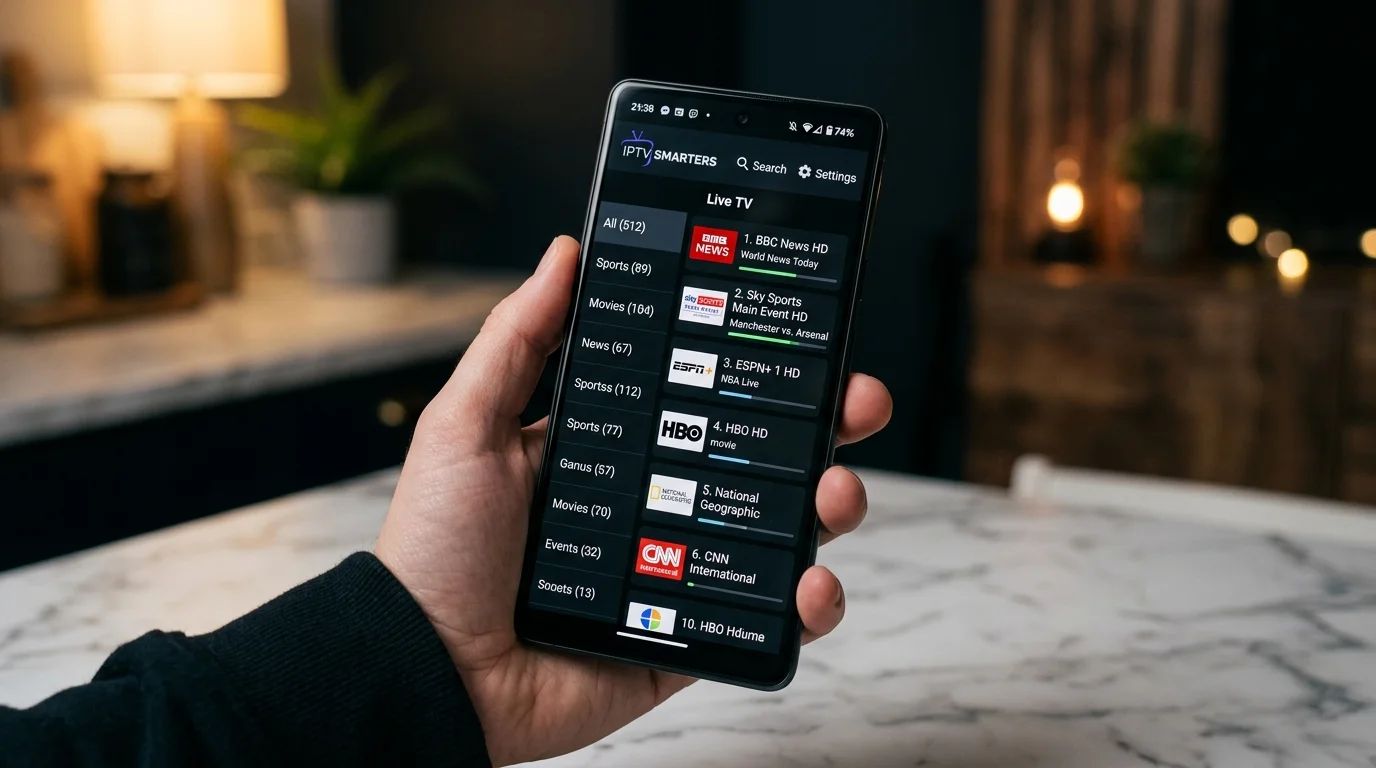
IPTV Smarters Pro is an application built specifically for consuming IPTV content. You connect it to an IPTV subscription by entering either an M3U playlist URL or your Xtream Codes API credentials (a server URL, username, and password that most IPTV providers supply). Once connected, the app pulls your channel list, EPG data, VOD catalogue, and any series content your provider includes, then presents all of it in a structured interface.
The app originated on Android and has grown its platform coverage significantly over the years. It's now available on Android smartphones and tablets, Android TV devices (including Amazon Fire TV and Fire Stick), iOS, and can be sideloaded on certain Smart TV platforms. The developer also produces a desktop version for Windows, though the primary use case remains TV-connected Android devices and phones.
Within the IPTV player category, Smarters Pro sits alongside TiviMate, GSE Smart IPTV, OTT Navigator, and a handful of others. It's free, which immediately separates it from TiviMate's premium tier. The trade-off is that the free version carries some limitations, and the interface design is slightly busier than TiviMate's cleaner layout. Whether that trade-off works for you is a legitimate question this review tries to answer honestly.
Setting Up: M3U vs. Xtream Codes
When you first open IPTV Smarters Pro, you'll see a login screen asking how you want to connect. There are two main paths.
The first is an M3U playlist URL. Your IPTV provider gives you a link that ends in .m3u or .m3u8. You paste it into Smarters Pro, give the profile a name, and the app does the rest. This method works universally and every IPTV provider supports it, but EPG data quality can vary depending on how the provider has structured the playlist.
The second is Xtream Codes. Most reputable IPTV providers support this API format. You enter three pieces of information: the server URL (something like http://yourprovider.com:8080), your username, and your password. Xtream Codes connections tend to give the app more metadata to work with, including better EPG population, accurate VOD categorisation, and series organisation with separate season and episode labels. If your provider offers both options, Xtream Codes is generally the better choice within Smarters Pro.
Setup takes about two minutes either way. You can create multiple profiles within the same app instance, one per subscription or provider, and switch between them without logging out. This is useful if you're testing different IPTV services or managing subscriptions for different purposes.
Interface and Navigation
The main screen after connecting divides content into four areas: Live TV, Movies, Series, and Catch Up. Live TV shows your channel list organised by the categories your provider has set up, which is typically something like Sports, News, Entertainment, Kids, and country-specific groups. You can favourite channels and they'll appear in a dedicated Favourites section at the top for quicker access.
Navigation within Live TV is where Smarters Pro has improved noticeably from older versions. Switching channels is faster than it used to be, and the mini-player that appears when you're browsing keeps the current stream running in a small corner window so you don't lose your place. On a remote-controlled Android TV box, the layout holds up reasonably well, though the small font sizes on some menu elements can feel cramped on a large screen viewed from across a room.
The search function works across live channels, VOD, and series simultaneously. Type a show title or channel name and results pull from all three categories at once. It's a small thing, but unified search saves real time when you're hunting for a specific match or film rather than scrolling through a long list manually.
EPG Support
EPG (Electronic Programme Guide) is where Smarters Pro does reasonably well, though the quality of the guide depends almost entirely on your IPTV provider rather than the app itself. The app displays whatever EPG data your provider sends. If your provider's EPG is accurate and well-populated, Smarters Pro renders it clearly with a horizontal timeline view for each channel. If your provider's EPG is thin or inaccurate, the guide will reflect that.
You can also supply an external XMLTV EPG URL if your provider supports it or if you want to use a third-party EPG source. This gives you more control over guide data quality. The app accepts the URL, fetches the guide, and maps it to your channel list. Matching isn't always perfect when channel names differ between your playlist and the EPG source, but for major channels it generally works.
One practical use of the EPG that Smarters Pro handles correctly: you can click a past programme in the guide and it will attempt to load catch-up content for that slot, assuming your provider supports catch-up for that channel. The transition from EPG to catch-up playback is handled in the same player view without jumping to a separate section.
Device Compatibility
Smarters Pro runs on the following platforms:
- Android phones and tablets (Android 5.0 and above) via Google Play Store
- Amazon Fire TV and Fire Stick via the Amazon Appstore
- Android TV boxes (Nvidia Shield, Xiaomi Mi Box, generic Android TV boxes) via Google Play
- iOS (iPhone and iPad) via the Apple App Store
- Windows PC via the developer's website
Android and Fire TV are the strongest implementations. The iOS version works but has historically lagged behind Android in feature updates. On iOS, background playback behaviour differs due to Apple's platform constraints, and some features available on Android are absent or limited. If you're an iPhone-first user and care about the full feature set, it's worth checking the current App Store version notes before committing to Smarters Pro as your primary player.
Smart TVs from Samsung and LG are not natively supported through their app stores. Users on those platforms typically need either an external Android TV stick plugged into the HDMI port, or they use a different player app that has native Tizen or webOS support. This is a genuine gap worth knowing.
Playback Quality and Stability
Smarters Pro uses ExoPlayer as its underlying playback engine on Android, which handles H.264 and H.265 streams including 4K content where the device and stream support it. Playback quality on a capable device with a good IPTV subscription is clean. The app itself doesn't degrade the stream; it passes it through to the decoder. If you're getting pixelation or buffering, the source is almost always either the IPTV provider's server or your own connection, not the app.
The app includes a few playback controls worth knowing about: you can switch between software and hardware decoding if a stream has compatibility issues, and there are buffer settings that let you increase the pre-load time on a slower connection. For most users on a 25 Mbps or faster home connection, the default settings work fine. The hardware decoding toggle is worth trying if you encounter streams that stutter on certain channels, as it can resolve codec conflicts on some devices.
Stability over extended viewing sessions is generally good. The app doesn't have a known memory leak problem that causes crashes after a few hours, which has been an issue with some competing players. Long sporting events or overnight recording scenarios are where stability matters, and Smarters Pro holds up better than average here.
Multiple Connection Profiles
One of the more practical features for people managing more than one IPTV subscription is the multi-profile setup. You create each subscription as a separate profile inside the app, give it a name, and switch between them from the main screen. There's no limit on the number of profiles you can create.
This is useful in a few real situations: you might have a primary subscription and a backup from a different provider, or you might be testing several services before settling on one. Having all of them accessible through one app without reinstalling or logging out is genuinely convenient. Each profile loads its own channel list and EPG independently, so switching profiles takes a few seconds for the data to refresh.
What Smarters Pro Does Not Do
Being clear about limitations is as useful as listing features.
The app has no built-in channels. Zero. There is no "free" content included. Without an active IPTV subscription to connect it to, the app shows you nothing. People who download it expecting a channel package are in for a confusing first experience.
There's no DVR or local recording functionality in the standard version. You can't record a live stream to your device's storage. Some competitors have added this as a premium feature; Smarters Pro hasn't.
The parental controls are basic. There's a PIN lock option for content categories, but it's not granular enough for households where strict content filtering is important.
On iOS, push notification support for upcoming programmes via the EPG doesn't exist. On Android you can set reminders for scheduled shows through the EPG view, which is a useful feature for sporting fixtures, but this isn't available on Apple devices.
Pros and Cons
Pros
- Free to download on all platforms
- Xtream Codes and M3U support
- Multiple subscription profiles in one app
- EPG with catch-up integration
- Unified search across live, VOD, and series
- Hardware/software decoder toggle for compatibility
- Stable over long viewing sessions
- 4K and H.265 playback on capable devices
Cons
- No built-in channels (you must bring your own subscription)
- iOS version lags behind Android in features
- No native Samsung or LG Smart TV app
- No local recording / DVR
- Interface can feel cluttered on TV remotes
- EPG quality depends on your provider, not the app
How IPTV Smarters Pro Compares to Alternatives
The two most common alternatives to Smarters Pro are TiviMate and GSE Smart IPTV.
TiviMate is widely considered the cleaner, more polished option on Android TV. Its channel grid layout feels purpose-built for living-room viewing, the EPG rendering is excellent, and the UI responds crisply on remote navigation. The catch is cost: TiviMate's better features require a paid premium subscription. For someone who watches a lot of TV through their Android box and wants the best possible interface, TiviMate's premium tier is worth considering. For someone who wants a capable free player, Smarters Pro is the stronger argument.
GSE Smart IPTV is another free option with broader Smart TV platform support, including Samsung and LG. If native Smart TV support matters to you and you don't want a separate Android stick, GSE is worth testing. The interface is less intuitive than Smarters Pro for most users, and the EPG view is more basic, but it fills the platform gap Smarters Pro has on walled-garden TV operating systems.
OTT Navigator sits between Smarters Pro and TiviMate in terms of UI quality, offers more customisation options than either, and is free with an optional paid skin. It's worth a look if you want to tinker with the layout and care about visual customisation beyond what Smarters Pro allows.
Our Verdict
IPTV Smarters Pro is the right choice for most people who want a free, capable IPTV player that works on Android and Fire TV. It handles Xtream Codes and M3U inputs well, manages multiple subscription profiles cleanly, and the EPG-to-catch-up integration is one of its genuine strengths. Stability is solid across long sessions, and the hardware decoder fallback helps with finicky streams on older devices.
Its weaknesses are real but mostly predictable: the iOS version is a step behind, native Smart TV support is missing, and the interface on a TV remote takes some getting used to. If you're on Android or Fire TV and you want a free player without strings attached, Smarters Pro is a confident recommendation. If you're on iPhone or watching directly through a Samsung or LG TV without an external box, look at GSE Smart IPTV first.
One honest note: the app's quality doesn't change how good your streams actually are. Smarters Pro can present a bad IPTV subscription tidily, but it can't fix weak servers or thin channel coverage. The player is only as good as the subscription you put in it. Browse our reviews to find a subscription worth loading into it.